Signal Panels
Panels define the set of Signal Cards available in a Signal Session. Each panel is designed for a specific type of meeting or use case.
Built-in Panels
Meeting Signals includes several pre-configured panels:
Default
A general-purpose panel suitable for most meetings.
| Card | Purpose |
|---|---|
| STOP | Signal to pause or stop the current topic |
| CONTINUE | Encourage continuation of current topic |
| REPEAT | Ask to repeat the last point |
| HANDOFF | Signal for a team handoff |
| AGREE | Show agreement or approval |
| FINISH | Time to wrap up |
Sales Meeting
Optimized for sales calls and demos.
| Card | Purpose |
|---|---|
| SLOW DOWN | Speaking too fast |
| NEXT SLIDE | Move to next slide |
| WRAP UP | Start wrapping up this section |
| QUESTIONS | Pause for questions |
| DEMO | Time for live demo |
| PRICING | Move to pricing discussion |
Presentation
For supporting speakers during presentations.
| Card | Purpose |
|---|---|
| LOUDER | Speak up |
| SLOWER | Reduce speaking pace |
| SKIP | Skip current content |
| REPEAT | Repeat for clarity |
| TIME CHECK | Check remaining time |
| Q&A | Move to questions |
Selecting a Panel
When creating a Signal Session:
- Click Create Meeting from the app home
- Enter an optional session name
- Browse the available panels
- Select a panel to use its Signal Cards
- Click Create
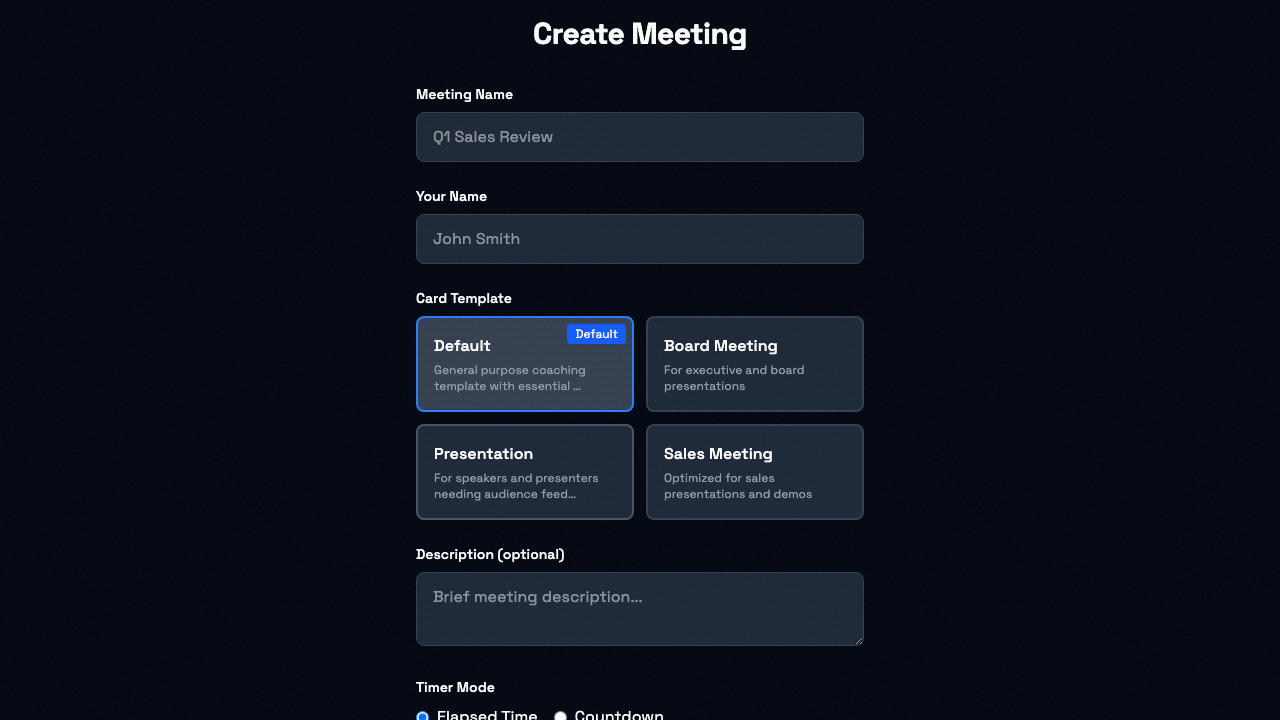
The panel determines which Signal Cards appear in your Signal Session. Cards are displayed in a 3-column grid layout that adapts to mobile screens.
Game Panels
Game Panels turn Signal Sessions into interactive games like "Focus Game." When a Game Panel is selected, scoring is enabled and a winner is announced when the session ends.
Meeting Signals includes a built-in Focus Game panel with cards for common meeting behaviors (e.g., "Synergy", "You're Muted", "Circle Back").
See Game Mode for full details on how games work, scoring, and creating custom game panels.
Custom Panels
Pro subscribers can create custom panels with their own cards. See Pro Features for full details on creating, editing, and managing custom panels.
Panel Ideas
Here are some additional panel concepts you can build with custom panels:
Interview Panel - NEXT QUESTION, FOLLOW UP, TIME, WRAP UP, PAUSE, PROCEED
Training Session - PAUSE, EXAMPLE, HANDS-ON, QUESTIONS, BREAK, CONTINUE
Client Meeting - ALIGN, CONCERN, TIMELINE, BUDGET, NEXT STEPS, PARKING LOT
Webinar Host - POLL, CHAT, MUTE, SCREEN, BREAK, CLOSE